
Unused files
The following files exist but are not embedded in any page. Please note that other websites may link to a file with a direct URL, and so may still be listed here despite being in active use.
Showing below up to 50 results in range #51 to #100.
-
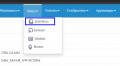 Status Upload.png 704 × 385; 48 KB
-
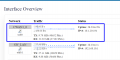 Interface Overview.png 723 × 360; 69 KB
-
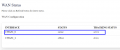 WAN Status.png 726 × 305; 31 KB
-
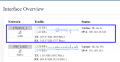 Interface Overview 1.png 730 × 379; 79 KB
-
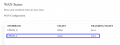 WAN Status SIM2.png 751 × 282; 30 KB
-
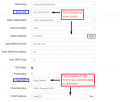 SSID and Client SSID Settings.png 584 × 497; 58 KB
-
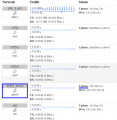 Interfaces status.png 552 × 568; 111 KB
-
 Download ZeroTier.png 651 × 418; 235 KB
-
 Create a Zero Tier Account.png 639 × 196; 124 KB
-
 Login to ZeroTier VPN.png 654 × 480; 51 KB
-
 Create a Zero Tier Network.png 646 × 397; 28 KB
-
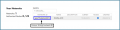 Zero Tier Network ID.png 647 × 161; 24 KB
-
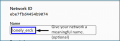 Network ID.png 625 × 215; 30 KB
-
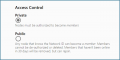 Access Control.png 620 × 311; 56 KB
-
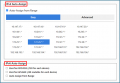 Set IP address ranges for your network devices.png 619 × 428; 57 KB
-
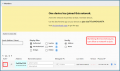 ZeroTier Access Control.png 661 × 390; 74 KB
-
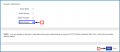 General Configuration Zerotier Enable.png 662 × 289; 27 KB
-
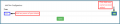 ZeroTier column.png 657 × 132; 14 KB
-
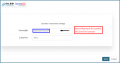 Add new configuration section.png 680 × 355; 22 KB
-
 ZeroTier Central.png 685 × 112; 29 KB
-
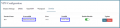 NodeID .png 689 × 158; 22 KB
-
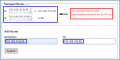 Go to ZeroTier central.png 685 × 343; 39 KB
-
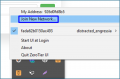 Remote Access to Router.png 624 × 411; 73 KB
-
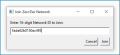 ZeroTier Central .png 620 × 286; 36 KB
-
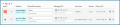 Authorize new devices in ZeroTier Central.png 683 × 145; 36 KB
-
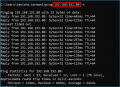 ZeroTier IP address .png 618 × 446; 258 KB
-
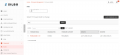 NMS Firmware Builds.png 940 × 433; 66 KB
-
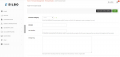 NMS Adding New Firmware Build.png 940 × 443; 71 KB
-
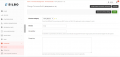 NMS Edit Firmware Build Details.png 911 × 435; 82 KB
-
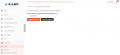 NMS Add Firmware Build Details.png 940 × 431; 59 KB
-
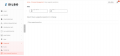 NMS Mass Upgradation Operation.png 940 × 441; 46 KB
-
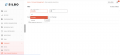 NMS Mass Upgradation Operation Filters.png 940 × 433; 48 KB
-
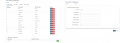 Send Configuration for Gateway.png 623 × 221; 31 KB
-
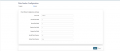 RS232 Sender Configuration.png 975 × 412; 33 KB
-
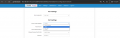 Port 5 WAN to LAN configuration.png 975 × 308; 51 KB
-
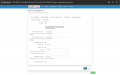 SMS Settings V2.png 975 × 609; 96 KB
-
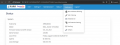 Features Dashboard v2.png 975 × 362; 78 KB
-
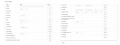 Miscellaneous configuration v2.png 973 × 363; 60 KB
-
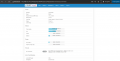 RD44 A Dashboard.png 975 × 493; 74 KB
-
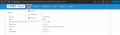 RD44 A info Section.png 975 × 281; 61 KB
-
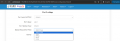 Port 5 mode LAN-WAN.png 975 × 331; 59 KB
-
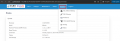 RD44 A Mac Address Binding.png 975 × 332; 70 KB
-
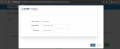 MAC Binding.png 975 × 396; 56 KB
-
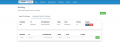 Advanced Static IPV4 Routes v1.png 975 × 339; 53 KB
-
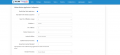 Modem Monitor Application Configuration.png 975 × 447; 61 KB
-
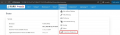 GRD44B-5R Connection Diagnostics.png 975 × 282; 133 KB
-
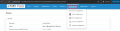 GRD44B-5R Configuration Dashboard.png 975 × 249; 119 KB
-
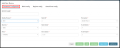 Modbus Protocol- RTU.png 975 × 390; 40 KB
-
 Modbus Protocol- TCP.png 975 × 429; 37 KB
-
 Block Config.png 975 × 208; 28 KB


